
Apache Spark WTF??? — 😒 Suspicious Minds 🙄
“Photon is the next generation engine on the Databricks Lakehouse Platform that provides extremely fast query performance at low cost.” —…
“They’re caught in a graph
but I can’t freak out
Because I know you too much, baby”
(adapted from “Suspicious Minds” by Elvis Presley)
⚡ What Exactly Is Photon (And What It Is Not)
Photon is a native execution engine written in C++ that replaces parts of Apache Spark’s JVM-based physical execution layer inside Databricks.
Think of it like swapping out the engine of your car — not changing the steering wheel, not changing the dashboard — just replacing the motor under the hood.
Native C++ Execution vs JVM
Traditional Spark is written in Scala and runs on the JVM. The JVM gives Spark portability and safety — but it also introduces overhead:
- Garbage Collection pauses
- Java object wrapping
- Heap memory management complexity
- Pointer abstraction (compressed OOPs)
Photon moves the physical execution layer from Scala/JVM to native C++. What that means in practice:
- No Java object overhead during execution
- No JVM garbage collection during heavy compute phases
- Direct 64-bit memory addressing
- Manual off-heap memory management
It still runs inside the Spark Executor process — it’s not a separate service — but it executes as a native library loaded into the executor.
Vectorized Execution and SIMD
Traditional Spark operators are largely row-oriented. That means, Photon switches to vectorized (columnar) execution.
Instead of processing rows one at a time, Photon:
- Pulls a batch of thousands of values
- Keeps them in contiguous memory
- Uses SIMD instructions (Single Instruction, Multiple Data)
SIMD allows the CPU to apply the same instruction to multiple data points in a single cycle.
Instead of processing each value one by one — price1 * 1.1, then price2 * 1.1, then price3 * 1.1 — Photon loads a contiguous batch of prices into CPU registers and applies the multiplication to the entire vector in a single instruction cycle using SIMD.
In other words, the CPU isn’t repeating the same operation sequentially; it’s performing that operation across multiple data points simultaneously at the hardware level. This reduces instruction overhead, improves cache locality, and dramatically increases throughput — especially when operating on large, columnar datasets where thousands of values can be processed in tight, optimized loops.
Why this matters:
- Better CPU cache utilization
- Fewer memory jumps
- Higher throughput for joins and aggregations
- Better performance for columnar formats like Parquet and Delta
Photon’s performance advantage is not magic — it’s hardware-aware vectorization.
Seamless Integration with Spark SQL and DataFrames
Photon works with: Spark SQL, DataFrame API, Delta Lake, Parquet, Iceberg.
When enabled, Spark’s Catalyst optimizer:
- Generates a physical plan.
- Replaces supported operators (scan, filter, join, aggregate, shuffle) with Photon-native equivalents.
- Executes them through the C++ engine.
⚠️ From the developer’s perspective, nothing changes. Photon is an execution engine swap, not a programming model change.
So What Is Photon, Really?
Photon is:
- A native C++ execution engine
- Columnar and vectorized
- Hardware-aware
- Embedded inside Spark Executors
- Transparent to your code
Photon is not:
- A new distributed system
- A separate cluster
- A fix for bad partitioning
- A solution for Python-heavy logic
- A replacement for query optimization
⚙️ Under the Hood: How Photon Actually Works
Photon’s performance gains don’t come from “adding more nodes” or spinning up a secret cluster. They come from changing how execution happens inside each Spark Executor.
Native Library Inside the Spark Executor (Not a Separate Process)
Photon is not a sidecar service, it does not run as a remote engine and it does not communicate over a socket.
Instead, Photon is delivered as a native C++ shared library that is loaded directly into the Spark Executor JVM process.
When an Executor starts, it loads the Photon native library (a .so binary on Linux). From that moment on:
- The JVM and Photon share the same process ID
- They share the same address space
- They share the same physical RAM
If Photon were running in a separate process, every batch of data would need to travel through inter-process communication (IPC) or networking — which would destroy most of the performance gains.
By living inside the same process, Spark can hand Photon a memory pointer, not a serialized payload. That design choice is the foundation of its speed.
Off-Heap Memory Management
Traditional Spark stores execution data in the Java heap, which is managed by the Garbage Collector. That’s safe and convenient — but expensive at scale.
Photon avoids this by operating primarily in off-heap memory:
- Memory allocated outside the JVM heap
- Managed manually by C++
- Not visible to the Java Garbage Collector
Benefits
- No GC pauses during heavy joins or aggregations
- No Java object wrapping overhead
- Tighter, contiguous memory layouts
- Better CPU cache utilization
Tradeoffs
- The JVM does not automatically track this memory
- Mis-sizing can trigger OS-level OOM (Exit 137)
- Native crashes (segfaults) kill the entire Executor
Enabling Photon typically reduces the Java heap size to make room for a large off-heap region reserved for native execution.
You’re essentially moving the furniture out of the living room (JVM heap) and into a high-performance warehouse (off-heap C++ memory).
Columnar Memory as the Bridge (Arrow-Style Interop)
Now comes the tricky part: Spark is still a JVM system, while Photon is native C++. They must exchange data efficiently. If every transition required full serialization and deserialization, the JNI boundary would wipe out most of the performance gains.
The key to avoiding this overhead is a shared, columnar, off-heap memory representation that both the JVM and the C++ engine understand.
Conceptually, this works similarly to Apache Arrow:
- A standardized columnar in-memory layout
- Language-neutral memory structure
- Zero-copy (or near zero-copy) interoperability
Here’s what happens at a high level:
- Spark prepares a batch of data in a columnar format.
- The data is allocated in off-heap memory.
- Instead of copying it into another structure, Spark passes a memory address (pointer) across the JNI boundary.
- Photon reads and processes that memory region directly using its native C++ operators.
There’s no “packing the suitcase.”
There’s no “unpacking on the other side.”
Photon avoids row-based Java object transfer and instead operates on columnar, pointer-accessible memory buffers. Both the JVM and the native engine operate on the same memory region.
🔁 JNI as the Execution Trigger
So how does the JVM actually call into C++? Through JNI (Java Native Interface).
JNI is the bridge that allows Java code to invoke native functions. When a Photon-supported operator is reached:
- The JVM prepares the data batch.
- It calls a native method via JNI.
- Control switches to the C++ execution engine.
- Photon performs vectorized processing.
- Results are returned through shared memory.
- Control returns to the JVM.
This transition is not free. Each boundary crossing requires:
- Context switching
- Stack transitions
- State synchronization
That’s why Photon processes large batches instead of rows. The cost of crossing the boundary must be amortized over thousands of records. If you force millions of tiny boundary crossings (e.g., row-by-row UDFs), you negate the advantage.
Same-Process Design: Power and Risk
The fact that Photon runs inside the same process as the Executor is both brilliant and dangerous.
The Power
- No inter-process communication overhead
- Pointer passing instead of serialization
- Extremely low-latency data handoff
- True hardware-level execution
The Risk
- A segmentation fault in C++ crashes the entire Executor
- Native memory leaks are harder to diagnose
- The JVM cannot “catch” native memory corruption
- Heap vs off-heap coordination must be precise
In a pure JVM world, most errors result in stack traces. In a mixed native world, errors can result in silent process termination. Photon trades safety abstraction for performance precision.
What This Means Architecturally
Photon doesn’t replace Spark. It embeds itself into Spark’s execution path.
- Catalyst still plans in the JVM.
- Tasks are still scheduled the same way.
- Partitions still define parallelism.
But when it’s time to do the heavy lifting — scans, joins, aggregations, shuffles — execution drops into a native, vectorized engine operating directly on off-heap columnar memory.
It’s not a different distributed system. It’s Spark — with the execution layer rewritten closer to the metal. And that design choice is exactly why it can be both extremely powerful and surprisingly expensive when misused.
🧠 Catalyst Is Still the Brain
One of the most common misconceptions about Photon is that it replaces Spark. It doesn’t. Photon replaces parts of the execution layer, but the planning layer remains entirely in the JVM — specifically inside Spark’s Catalyst Optimizer. If Photon is the muscle, Catalyst is still the brain.
Catalyst Optimizer Remains in the JVM
When we submit a query — whether through Spark SQL or the DataFrame API — the process begins exactly the same way it always has in Spark:
- Parsing — Your SQL or DataFrame operations are translated into a logical plan.
- Analysis — Column resolution, type checking, function validation.
- Logical Optimization — Predicate pushdown, projection pruning, join reordering.
- Physical Planning — Selection of concrete operators (e.g., hash aggregate, sort merge join).
All of this happens in Scala, inside the JVM. Photon does not rewrite Catalyst. It does not change the optimization rules. It does not affect how the query is logically structured. The optimizer still decides what to do. Photon only changes how certain parts are executed.
Physical Plan Substitution
After Catalyst generates a physical plan, an additional step occurs when Photon is enabled. Conceptually, Spark performs a substitution pass: standard Spark operators (e.g., FileScan, HashAggregate, SortMergeJoin) are replaced with Photon-native equivalents, but only if the operator is supported
For example:
- A Parquet scan may become a Photon-native scan operator.
- A hash aggregation may become a Photon-native aggregation operator.
- A shuffle stage may use the vectorized native shuffle engine.
If an operator is not supported, it remains a standard JVM-based Spark operator.
*⚠*️ This substitution happens at the operator level, not the whole-query level.
That’s why you can have a query where:
- 80% runs in Photon
- 20% runs in standard Spark
All within the same execution plan.
Mixed Execution Plans
Because substitution is selective, execution plans can be hybrid. A typical mixed plan might look like this:
- Photon-native scan
- Photon-native filter
- JVM-based Python UDF
- Photon-native aggregation
When Spark reaches an unsupported operator (like a Python UDF), it falls back to the JVM execution engine for that segment. Once that part completes, control can return to Photon-supported operators.
This flexibility is what makes Photon transparent — you don’t have to rewrite your workload to benefit from it. But it also means performance gains depend heavily on how “Photon-friendly” your query plan is.
If your plan forces frequent fallback to the JVM, you pay the Photon DBU premium without staying in the high-performance path.
Why Planning Stays in Scala (Complexity vs Performance Tradeoff)
A fair question is: “If C++ is faster, why not rewrite Catalyst in C++ too?”
Because query planning is rarely the bottleneck. Planning typically takes milliseconds. Execution takes seconds or minutes.
Catalyst is extremely complex and deeply integrated with Spark’s rule-based optimization system:
- Pattern matching
- Logical rule transformations
- Cost-based heuristics
- Extensibility for new data sources
Rewriting that entire ecosystem in C++ would:
- Introduce massive engineering complexity
- Reduce maintainability
- Offer negligible performance benefit
Databricks made a pragmatic decision:
- Keep planning in the expressive, extensible JVM/Scala world
- Move heavy numeric execution into native C++
It’s a separation of concerns. Catalyst reasons about the query. Photon accelerates the math.
🧮 Vectorization: The Real Performance Multiplier
If you strip away the branding and the DBU discussions, Photon’s core advantage comes down to one thing: Vectorized, columnar execution that aligns with how modern CPUs actually work. Everything else — native code, off-heap memory, shuffle optimizations — supports that central idea.
Row-Based vs Columnar Processing
Traditional row-based execution processes data like this:
Row 1 ➜ apply filter ➜ compute expression
Row 2 ➜ apply filter ➜ compute expression
Row 3 ➜ apply filter ➜ compute expression
Each row is a small object. The CPU constantly jumps around in memory, fetching different fields, unpacking objects, and repeating the same logic over and over.
Columnar execution flips the layout:
[price1, price2, price3, ...]
[date1,  date2,  date3,  ...]
[store1, store2, store3, ...]
Now, when you apply an operation (e.g., price * 1.1), you operate on a contiguous block of values.
This improves:
- CPU cache locality
- Memory bandwidth utilization
- Branch prediction efficiency
- Data prefetching
Columnar layout is not just a storage format choice (like Parquet or Delta). It’s an execution strategy. Photon keeps data in columnar form throughout processing, avoiding unnecessary row materialization.
SIMD Registers: Let the CPU Do Its Job
Modern CPUs contain SIMD (Single Instruction, Multiple Data) registers. Instead of:
price1 * 1.1
price2 * 1.1
price3 * 1.1
The CPU can load multiple values into a vector register and multiply them in one instruction cycle. Conceptually:
[price1, price2, price3, price4] × 1.1Executed in parallel at the hardware level.
Photon is built to exploit these SIMD capabilities:
- Tight native loops
- Predictable memory layout
- Minimal branching
- Batched arithmetic
This is where much of the raw throughput improvement comes from. It’s not that C++ is “faster than Java” in some mystical way. It’s that Photon’s execution model is deliberately designed to align with modern CPU architecture.
Batch Processing: Amortizing the Overhead
Vectorization works because data is processed in batches, not individual rows. Instead of sending one row across the execution boundary:
- Spark prepares a batch (often thousands of rows).
- Photon processes the entire batch in a tight loop.
- Results are written back in columnar form.
This batching:
- Reduces JNI transition overhead
- Minimizes function call costs
- Keeps data hot in CPU cache
- Improves instruction pipelining
Without batching, the boundary crossing and function overhead would erase most performance gains.
Photon is fast because it processes blocks, not rows.
Why Small, Row-Based Workloads Don’t Benefit
Vectorization shines when:
- Data is large
- Operations are uniform
- Execution is CPU-bound
- Work can be expressed in columnar form
It struggles when:
- The dataset is tiny
- The job runs in seconds
- Logic is row-dependent
- Python or Java UDFs dominate
- Data is repeatedly materialized as rows
If your workload takes 20 seconds, uses row-based transformations and/or forces frequent fallback to the JVM, then Photon’s vector engine barely gets to stretch its legs.
Basically, you’re paying for a high-performance engine, but the workload never enters the high-throughput path long enough to justify it.
🌉 The JNI Tax: The Boundary Crossing Problem
Photon’s biggest architectural strength — running native C++ inside a JVM system — is also its most delicate balancing act.
Every time execution moves between the JVM (Spark) and the native C++ layer (Photon), it crosses a boundary. That boundary is implemented using JNI. And crossing it is not free.
If vectorization is the performance multiplier, then JNI is the performance tax you must amortize.
Transition Cost Between JVM and Native Code
When Spark calls into Photon:
- The JVM prepares the batch.
- Execution transitions into native C++.
- The C++ operator runs.
- Control returns to the JVM.
Each transition requires:
- Saving JVM state
- Switching stacks
- Entering native execution context
- Synchronizing memory state
This is called a boundary crossing cost. If you cross this boundary once to process 10,000 rows, the cost is negligible. If you cross it 10 million times to process 10 million rows one-by-one, you’ve just built a toll booth on your own highway.
Photon is designed to minimize the number of crossings. But your workload determines whether that design pays off.
Why Batching Is Mandatory
Batching is not an optimization detail — it is the survival mechanism of the JNI model. Instead of:
Row ➜ call native ➜ return
Row ➜ call native ➜ return
Row ➜ call native ➜ return
Photon works like this:
Batch of 8,000 rows ➜ call native ➜ process in tight vector loop ➜ returnThe JNI overhead is paid once per batch, not once per row. This amortization is essential. Without it:
- The transition cost would exceed the computation cost.
- Native execution would lose its advantage.
- Photon would appear “slower” than standard Spark.
This is why row-by-row logic is fundamentally misaligned with Photon’s architecture.
Python UDF Example Where Photon Underperforms
Here’s a realistic scenario:
You have a large DataFrame and apply a Python UDF:
@udf("double")
def discount(price):
    return price * 0.9 if price > 100 else price * 0.95

df.withColumn("discounted_price", discount(df["price"]))
What happens?
- Photon scans and processes data natively.
- It reaches the Python UDF.
- Execution must: leave native C++, re-enter the JVM, cross into the Python interpreter.
- Process rows.
- Return results.
Now you have:
- JVM ↔ Native crossing
- JVM ↔ Python crossing
- Potential row materialization
If most of your workload is dominated by this UDF, Photon spends more time transitioning than computing.
In some cases, disabling Photon can result in similar or even better performance because the execution remains entirely inside the JVM, avoiding repeated boundary switching. This is not a Photon flaw — it’s a workload mismatch.
🌊 Photon and Streaming
Photon is designed to accelerate large, CPU-bound, columnar workloads. Structured Streaming — especially in micro-batch mode — often behaves differently. Whether Photon helps depends less on “batch vs streaming” and more on where the bottleneck actually lives.
The JNI Tax + Small Micro-Batches
Photon runs native C++ inside a JVM-based engine. Every time execution moves between Spark and Photon, it crosses a JNI boundary. That crossing has a fixed cost.
In large batch ETL jobs, that cost is amortized over millions of rows. In streaming, micro-batches may contain only hundreds or a few thousand rows. Each batch still:
- Triggers planning
- Allocates off-heap buffers
- Crosses into native execution
- Returns to the JVM
If the batch is small, the boundary cost becomes noticeable relative to the actual computation. Vectorization also needs scale: SIMD registers and tight loops pay off when processing large columnar buffers. In small streaming batches, the engine simply doesn’t stay “hot” long enough to benefit.
Result: CPU usage stays modest, runtime barely changes, but the DBU rate is higher.
Engine Serialization vs Connector Serialization
Photon does reduce serialization overhead — but primarily inside the execution engine (shuffle, aggregation, columnar processing).
Many streaming pipelines, however, are dominated by connector-level work:
- Kinesis/Kafka/Event Hubs ingestion
- JSON/Avro parsing
- Cloud storage commits
- Network latency
Those happen in connectors and storage layers, not inside Photon’s native operators. If ingestion and I/O dominate, reducing internal shuffle serialization won’t materially affect end-to-end latency.
Photon accelerates arithmetic and engine-level data movement.
It does not necessarily accelerate ingestion throughput or storage latency.
Steady State vs Spikes
In steady-state streaming — say 2,000 rows every 30 seconds with light transformations — overall latency is often constrained by:
- Trigger cadence
- Source pacing
- Sink commit time
Even if Photon makes the internal compute 20% faster, the trigger interval still caps execution time. You don’t finish earlier; you just pay more per hour.
However, streaming isn’t always steady. Backlogs, replay events, or traffic bursts can suddenly inflate micro-batches to hundreds of thousands of rows. State stores grow, shuffle increases, CPU saturates — and now the workload temporarily resembles batch ETL.
That’s where Photon can help:
- Large stateful aggregations
- Heavy windowed joins
- CPU-bound micro-batches
- Burst-driven backlog recovery
In streaming, Photon’s value is often about handling spikes efficiently, not improving average low-volume processing.
The Balanced Take
Photon is not “bad for streaming.” It’s misaligned with streaming workloads that are:
- Small-batch
- I/O-bound
- Lightly transformed
- Connector-dominated
It becomes useful when streaming turns compute-heavy — especially during bursts.
The real decision isn’t “Is this streaming?”, it’s “When this pipeline is under load, does CPU become the bottleneck?”. If yes, Photon may help. If no, it’s just a more expensive engine waiting between micro-batches.
💥 Segmentation Faults vs Java Stack Traces
In pure JVM Spark, most failures produce:
- Java exceptions
- “Clear” stack traces
- Catchable errors
In a mixed native environment, failures can look very different. If a C++ operator:
- Accesses invalid memory
- Corrupts a pointer
- Leaks memory aggressively
The result may be:
- A segmentation fault
- Immediate Executor termination
- No “friendly” Java stack trace
Because Photon runs inside the same process as the JVM, a native crash terminates the entire Executor. The JVM cannot “catch” a segmentation fault in native memory.
This is the tradeoff of running closer to the metal. You gain performance precision. You lose some safety abstraction.
🧠 The Dual Memory World (Heap vs Off-Heap)
When Photon is enabled, your Executor effectively operates in two memory universes:
1️⃣ JVM Heap
- Managed by the Garbage Collector
- Used for Spark planning and non-native operators
2️⃣ Off-Heap Memory
- Managed by Photon’s native engine
- Used for vectorized execution
- Invisible to the GC
This creates a coordination challenge:
- The JVM might think memory usage is low.
- The OS sees total memory (heap + off-heap).
- If off-heap usage grows too large, the OS can kill the process (Exit Code 137).
It’s not necessarily a “memory leak.” It’s aggressive native allocation in a dual-memory model.
The Engineering Reality
JNI is not a bug. It’s the bridge that makes Photon possible. But like any bridge, it has tolls. Photon performs best when:
- Workloads stay in native operators
- Batches are large
- Crossings are infrequent
- Logic is columnar and CPU-bound
It performs poorly when:
- Row-based logic dominates
- Python UDFs are central
- Frequent fallback occurs
- Workloads trigger excessive boundary transitions
Photon doesn’t eliminate the JVM. It negotiates with it. And every negotiation has a cost.
🔄 When Spark Falls Back to Plain JVM
Photon is not an all-or-nothing switch. Enabling Photon does not guarantee that your entire query runs in native C++. Spark will opportunistically use Photon for supported operators and gracefully fall back to the standard JVM execution engine whenever it encounters something Photon cannot handle.
Understanding when and why fallback happens is critical — because fallback reduces the performance benefit while keeping the DBU premium.
Unsupported Operators
Photon supports a wide range of common physical operators:
- Columnar scans (Parquet, Delta, Iceberg)
- Filters
- Projections
- Hash aggregations
- Many joins
- Vectorized shuffle
However, not every Spark operator has a Photon-native equivalent.
If Catalyst produces a physical operator that Photon does not support, Spark simply keeps the standard JVM version of that operator in the plan.
Fallback is typically operator-level, not query-level. That means a single query may contain both Photon-native and JVM-based operators.
The more unsupported operators in your plan, the less time you spend in the native fast path.
Python UDFs
Python UDFs are one of the most common fallback triggers. When Spark encounters a Python UDF:
- Data must be materialized into a format Python understands.
- Execution crosses from JVM to Python.
- Native vectorization is interrupted.
Photon cannot execute arbitrary Python logic natively. So even if your scan and aggregation run in Photon, the moment a Python UDF appears in the pipeline:
- Execution leaves the native C++ engine.
- Data may be processed row-by-row.
- Boundary crossing overhead increases.
If your workload is heavily UDF-driven, Photon may offer minimal benefit.
RDD API Usage
Photon is designed for Spark SQL and the DataFrame API. If you use the lower-level RDD API:
- Custom map functions
- Custom partition logic
- Arbitrary transformations
Spark operates in a row-oriented, JVM-based execution model. RDD transformations are opaque to Photon. Since they don’t map cleanly to columnar vectorized operators, they execute entirely in the JVM.
If your pipeline relies heavily on RDDs, enabling Photon won’t change much — except your hourly DBU rate.
Row-Based Formats (JSON / CSV)
Photon is optimized for columnar storage formats: Delta Lake, Parquet, Iceberg. These formats align naturally with vectorized execution.
Row-based or semi-structured formats like JSON, CSV, text-based inputs require parsing and row materialization in the JVM layer.
Even if downstream operations can be vectorized, the ingestion step often happens in standard Spark operators first.
The result:
- More JVM time
- Less time spent in native operators
- Reduced Photon advantage
If your workload primarily ingests raw JSON and performs light transformations, Photon may not materially improve runtime.
Custom Java Libraries
If your Spark job integrates:
- Custom Java logic
- Proprietary parsing libraries
- Encryption/decryption routines
- Third-party JVM-based connectors
Photon cannot see inside that logic. From Spark’s perspective, those operations are opaque JVM calls.
Execution must:
- Exit the native path
- Run JVM code
- Potentially re-materialize rows
- Re-enter native execution (if possible)
Frequent alternation between native and JVM logic increases boundary crossing overhead and reduces performance gains.
Non-Vectorizable Logic
Even within SQL, some logic patterns are difficult to vectorize efficiently:
- Highly conditional row-dependent logic
- Extremely complex nested expressions
- Workloads with heavy branching
- Iterative or stateful row processing
Photon thrives when:
- Operations are uniform
- Expressions apply consistently across columns
- Large batches can be processed predictably
If your query logic forces irregular control flow or repeated row materialization, vectorization benefits shrink.
Why This Matters
Fallback is not a failure. It’s what makes Photon safe and compatible. But it has implications:
- You still pay the Photon DBU premium.
- Portions of your plan may run entirely in the JVM.
- Frequent fallback increases JNI boundary crossings.
- Performance gains may plateau.
The key question isn’t “Is Photon enabled?”. The key question is: “How much of my execution plan actually stays in native operators?”.
That’s the difference between getting a turbocharged engine — and just renting one while driving in city traffic.
👠 Shuffle: The Achilles’ Heel Photon Tries to Fix
If you’ve worked with Spark long enough, you know this truth:
Shuffle is where good queries go to suffer.
Shuffle is expensive because it combines the worst of distributed systems:
- Network transfer
- Disk spill
- Random memory access
- Serialization overhead
- Data skew
Photon doesn’t eliminate shuffle — that’s impossible in a distributed system — but it re-engineers how shuffle is executed to reduce its cost.
Native Vectorized Shuffle
In classic Spark, shuffle is largely row-oriented and JVM-driven. Rows are:
- Serialized
- Partitioned by key
- Written to disk
- Transferred over the network
- Deserialized on the receiving side
Photon replaces much of this with a native C++ shuffle implementation that operates on columnar batches. Instead of thinking in rows, Photon thinks in columnar vectors. This allows:
- Batched partitioning
- Tight native loops
- Reduced per-record overhead
- SIMD-friendly key processing
The goal is not just to move data — it’s to move it in a format that remains compatible with vectorized execution on the receiving side.
Columnar Shuffle vs Row Shuffle
Classic shuffle pipeline:
Row ➜ serialize ➜ write ➜ transfer ➜ deserialize ➜ materialize rowPhoton shuffle pipeline (conceptually):
Columnar batch ➜ native partitioning ➜ transfer columnar buffer ➜ process as batchKey differences:
- Data stays columnar.
- Less row materialization.
- Fewer Java objects created.
- Lower GC pressure.
- Better cache alignment.
Because Photon maintains columnar layout across shuffle boundaries, downstream operators can continue processing in vectorized form without repeatedly converting between row and column formats.
This continuity matters. Shuffle isn’t just about data movement — it’s about what format the data arrives in.
Reduced Serialization Overhead
Serialization is one of Spark’s hidden costs. In the JVM world:
- Rows must be encoded into byte arrays.
- Objects are flattened.
- CPU cycles are spent packaging and unpackaging data.
Photon performs partitioning and encoding in native C++. This reduces:
- Java object overhead
- Garbage generation
- CPU cycles spent on serialization
- Per-row encoding cost
By operating on contiguous memory blocks instead of individual objects, Photon lowers the per-record overhead during shuffle.
That’s especially noticeable in:
- Large joins
- Group-by aggregations
- Window functions
Where shuffle volume dominates total runtime.
Memory Locality Optimizations
Shuffle performance is heavily influenced by memory access patterns.
The worst-case scenario is:
- Random memory jumps
- Cache misses
- High latency waiting for RAM
Photon’s native engine optimizes for memory locality:
- Contiguous column buffers
- Predictable access patterns
- Tight loops that stay within CPU cache
By reducing the “distance” the CPU must travel in memory, Photon lowers stall time and improves throughput. It doesn’t change the fact that shuffle is expensive — but it makes it less chaotic.
🔮 Predictive Query Execution vs Classic AQE
Spark introduced Adaptive Query Execution (AQE) to react to runtime statistics:
- Detect skew
- Adjust join strategies
- Rebalance partitions
Classic AQE is reactive:
- A stage completes.
- Spark observes skew or misestimation.
- It adjusts future stages.
Photon extends this idea with more aggressive runtime awareness, sometimes referred to as Predictive Query Execution (PQE).
Conceptually, PQE:
- Monitors execution metrics more continuously.
- Can cancel or re-plan certain tasks mid-flight.
- Attempts to reduce wasted work earlier.
The difference is philosophical:
- Classic AQE reacts after imbalance becomes visible.
- Photon’s enhancements aim to reduce imbalance impact sooner.
That said:
⚠️ No shuffle engine can fully compensate for extreme data skew.
Photon can make shuffle faster. It cannot fix broken partitioning logic.
🧵 Parallelism: Photon Does Not Fix Bad Partitioning
Photon makes each task faster. It does not change how many tasks you have. This distinction is critical.
Spark’s distributed parallelism model is still based on partitions. Photon optimizes what happens inside a task — not how work is distributed across the cluster. If your partitioning strategy is flawed, Photon will faithfully accelerate the imbalance.
Still Partition-Driven
In Spark:
- A DataFrame is split into partitions.
- Each partition becomes a task.
- Each task runs on one core of one executor.
Photon does not modify this model. If you have:
- 100 cores available
- But only 10 partitions
Then at most 10 cores will be used. The other 90 cores will sit idle — even if Photon is enabled.
Photon improves execution within each partition, but it cannot create parallelism that the partitioning layer doesn’t provide. Parallelism is still determined by:
spark.sql.shuffle.partitions- Upstream partition counts
- Join strategies
- Data distribution
Photon is not a scheduler. It is an execution accelerator.
Intra-Task SIMD vs Inter-Task Spark Parallelism
There are two layers of parallelism in play:
1️⃣ Inter-Task Parallelism (Spark Level)
- Multiple tasks running on different cores/nodes
- Driven by partitions
- Managed by Spark scheduler
2️⃣ Intra-Task Parallelism (Photon Level)
- SIMD vectorization inside a single task
- Batch processing within a core
- Hardware-level parallel arithmetic
Photon enhances the second. Spark still controls the first. This means:
- If partitioning is healthy ➜ Photon amplifies performance.
- If partitioning is poor ➜ Photon amplifies inefficiency.
You need both layers aligned to see meaningful gains.
The Skew Amplification Problem
Data skew is where this becomes painfully obvious. Imagine you have 20 partitions: 19 partitions contain small amounts of data and 1 partition contains 90% of the records. What happens?
- 19 tasks finish quickly.
- 1 task continues processing for a long time.
- The cluster waits.
With Photon:
- That skewed task may run faster.
- But it still dominates total runtime.
Meanwhile:
- All other nodes sit idle.
- The DBU clock keeps running.
- You’re paying a premium for unused horsepower.
Photon does not fix skew. It makes skewed partitions expensive faster. Skew must be addressed at:
- Join strategy level
- Key distribution level
- Partition design level
Not at the execution engine level.
🧠 Memory: Off-Heap and Unified Manager
If Photon moves execution closer to the hardware, memory is where that shift becomes visible. Enabling Photon doesn’t just change how operators run — it changes where your data lives in memory and how that memory is managed.
Understanding this is essential for avoiding mysterious OOM errors and misinterpreted “memory leaks.”
Off-Heap Allocation
Standard Spark execution primarily uses JVM heap memory, managed by the Garbage Collector. Photon, on the other hand, performs execution in off-heap memory:
- Allocated outside the JVM heap
- Managed manually by the native C++ engine
- Not directly visible to the Garbage Collector
Why? Because off-heap memory allows:
- Tighter control over allocation
- Contiguous columnar buffers
- Reduced GC pauses
- Better cache alignment
- More predictable performance under heavy joins and shuffles
Instead of creating millions of small Java objects, Photon works with large native memory regions designed for vectorized processing. This is one of the biggest architectural shifts when Photon is enabled.
Reduced JVM Heap Size
When Photon is turned on, Databricks typically reduces the size of the JVM heap to reserve a substantial portion of memory for off-heap native execution. This can surprise users.
You may open the Spark UI and think “Why does my executor heap look smaller than before?” Because memory has been reallocated.
Instead of:
Large JVM heap + small off-heapYou now have:
Smaller JVM heap + large off-heap region for PhotonThe total machine RAM hasn’t changed. The memory distribution has. This is intentional — Photon needs room to operate. But it also means that JVM-heavy workloads (custom libraries, UDF-heavy jobs) may experience pressure on the reduced heap.
Unified Memory Manager
Spark and Photon cannot fight over memory. To prevent chaos, they operate under a coordinated memory model often referred to as a Unified Memory Manager.
Conceptually:
- Photon requests memory reservations.
- Spark’s memory manager tracks overall limits.
- Spilling decisions are coordinated.
- Off-heap and heap usage must coexist within physical RAM limits.
This coordination helps prevent:
- Simultaneous over-allocation
- Excessive spill thrashing
- Uncontrolled native memory growth
However, because off-heap memory is not managed by the GC, visibility is different. The JVM may report comfortable heap usage, while native memory is under heavy pressure. From the OS perspective, it’s all just RAM.
Wide-Table Pressure
Photon is optimized for columnar execution — but columnar metadata scales with the number of columns.
If you have extremely wide tables (hundreds or thousands of columns):
- Each column requires buffers
- Metadata structures grow
- Memory estimation becomes more complex
Wide schemas increase:
- Off-heap allocation demand
- Shuffle buffer sizes
- Aggregation memory footprint
If table statistics are inaccurate, Photon may:
- Over-allocate memory “just in case”
- Trigger excessive spilling
- Push total RAM usage toward system limits
Columnar engines love tall tables. They are more sensitive to very wide ones.
Exit Code 137 (The OOM Killer)
One of the most misunderstood Photon errors is: Exit code 137
This typically means:
The Linux kernel terminated the process due to exceeding physical memory limits.
This is not necessarily a classic “Java heap OOM.” It often indicates:
- Combined heap + off-heap usage exceeded VM RAM
- Native allocation grew beyond safe limits
- Multiple tasks over-reserved memory simultaneously
Because off-heap memory bypasses the GC, the JVM may not throw a friendly exception. Instead, the OS steps in and kills the Executor.
This is why monitoring total memory usage, not just heap, is critical when running Photon workloads.
Statistics, Predictive Optimization, and Why They Still Matter
Photon’s performance depends on good planning, and good planning depends on accurate table statistics. Join selection, broadcast decisions, shuffle sizing, and memory estimation all rely on row counts and column-level metadata. When statistics are stale or missing, estimates drift — which can lead to suboptimal joins, mis-sized shuffle partitions, excessive spilling, or unexpected memory pressure.
In Unity Catalog environments, Predictive Optimization reduces much of the operational burden by automatically maintaining statistics and running background optimizations. In many cases, this eliminates the need for manual ANALYZE TABLE commands and keeps planning quality consistently high.
However, automation isn’t magic. Large append bursts, highly skewed data, unusual query patterns, or recently modified datasets can still produce temporary estimation gaps. Predictive Optimization improves the default state — it doesn’t make cost-based planning infallible.
Photon is fast, but it still relies on metadata. When performance or memory behavior looks surprising, statistics are often part of the story — even in an automated world.
🗄️ Caching: Disk Cache vs Spark Cache
When people talk about “caching” in Databricks, they often mix two very different mechanisms:
- Disk cache (formerly Delta Cache) — SSD-based
- Spark cache (
.cache()/.persist()) — RAM-based
Photon interacts with both — but in different ways. If you don’t distinguish them, memory tuning becomes guesswork.
SSD Disk Cache (Delta Cache)
The disk cache stores remote cloud data (S3 / ADLS / GCS) on the local NVMe SSDs of worker nodes.
What happens:
- Data is read from cloud storage.
- It is cached locally on the node’s SSD.
- Future reads can bypass remote object storage latency.
With Photon enabled:
- Data is cached in a format aligned with columnar execution.
- Native scan operators can read directly from local SSD.
- Predictive I/O can prefetch data into memory while processing continues.
Benefits:
- Reduced cloud storage latency
- Lower network overhead
- Faster repeated scans
- Better scan throughput for large tables
⚠️ Disk cache improves I/O-bound workloads. Photon improves CPU-bound workloads.
Together, they reduce both storage wait time and execution time — but they solve different problems.
Spark Cache (.cache() / .persist())
Spark cache is a RAM-level materialization of a DataFrame. When you call .cache(), Spark stores computed partitions in memory for reuse.
With Photon enabled:
- Cached data is typically stored in off-heap memory.
- It remains in columnar format.
- It bypasses Java object inflation.
In standard Spark:
- Cached rows may live as JVM objects.
- The GC must scan them.
- Large cached datasets increase GC pressure.
With Photon:
- Cached blocks live in native memory.
- The GC doesn’t need to scan them.
- Execution avoids heap fragmentation.
This reduces one of Spark’s historical bottlenecks: garbage collection pauses caused by large in-memory datasets.
GC Avoidance Benefits
Garbage collection overhead grows with:
- Number of Java objects
- Heap size
- Allocation churn
Photon reduces GC impact by:
- Avoiding row object creation
- Keeping columnar buffers off-heap
- Minimizing object wrapping
This leads to:
- More stable latency
- Fewer GC pauses
- More predictable performance under heavy caching
However, the memory still exists. It’s just managed outside the GC. If total memory pressure rises, the OS still sees it.
Spill Coordination
Caching, execution, and shuffle all compete for memory. In a Photon-enabled cluster:
- Execution memory lives off-heap.
- Cached data may live off-heap.
- Shuffle buffers consume off-heap space.
- JVM operators still use heap.
The Unified Memory Manager coordinates these components. If memory becomes constrained:
- Photon may spill data to disk.
- Spark may evict cached partitions.
- Shuffle buffers may be reduced.
Spilling is not failure — it’s a pressure relief mechanism. But heavy spilling:
- Reduces performance
- Increases disk I/O
- Extends job runtime
If you see frequent spill events in Spark UI, the issue is usually:
- Insufficient memory per executor
- Excessive caching
- Skewed joins
- Wide tables
Not necessarily Photon itself.
The Practical Distinction
Disk Cache
- Lives on SSD
- Optimizes cloud I/O
- Helps scan-heavy workloads
Spark Cache
- Lives in RAM (often off-heap with Photon)
- Optimizes recomputation
- Reduces GC pressure
Photon benefits from both — but neither replaces good data modeling or memory sizing.
Caching accelerates reuse. Photon accelerates computation.
When aligned correctly, they complement each other. When misconfigured, they compete for the same memory budget — and the OS always wins that argument.
💰 Cost Reality: The DBU Multiplier
Photon doesn’t just change performance — it changes your cost model. In classic (non-serverless) environments, enabling Photon typically increases the DBU rate per hour (often ~2×–3×). Your cloud VM price stays the same; the software layer becomes more expensive.
Is Photon Faster?
The real question should be “Does it reduce runtime enough to offset the DBU multiplier?”
If Photon costs 2× per hour, it must make your job at least 2× faster to lower total compute cost. If it only improves runtime marginally, you’re paying more per hour without materially shrinking cluster uptime. That’s acceleration without efficiency.
Photon tends to be cost-effective when workloads are:
- CPU-bound (heavy joins, aggregations, window functions)
- Large-scale and columnar (Delta, Parquet, Iceberg)
- Shuffle-heavy but well-partitioned
- SLA-driven
In those cases, runtime drops significantly, CPU stays saturated, and clusters can shut down earlier — sometimes even allowing smaller instance types or fewer nodes.
It becomes expensive when Spark isn’t doing the real work:
- Heavy pushdown to external systems (Snowflake, BigQuery, databases, APIs, LLMs)
- Connector- or network-dominated pipelines (Kafka, Kinesis, Event Hubs)
- Row-based parsing workloads (JSON, CSV)
- Severe skew or long-tail tasks
- Idle-heavy classic clusters
Photon accelerates compute inside Spark. It does not accelerate remote engines, network latency, ingestion throughput, or cold starts. If CPU isn’t the bottleneck, Photon becomes a premium engine waiting on I/O.
Serverless vs Classic Also Matters
Spiky, intermittent workloads often benefit from serverless elasticity (reducing idle waste). Constant, predictable 24/7 workloads are often more cost-efficient on well-sized classic clusters.
The responsible approach is simple:
- Benchmark with and without Photon
- Measure runtime, CPU utilization, skew, spill, shuffle
- Compare total job cost — not just DBU rate
Photon is not “expensive.” It is expensive per hour. Whether it’s expensive overall depends on workload design.
Photon is a multiplier. If your architecture is efficient, it multiplies performance. If it isn’t, it multiplies your bill.
🎯 When Photon Makes Sense — and When It Doesn’t
Photon is powerful. But power without diagnosis is just expensive acceleration.
The responsible question isn’t “Can Photon make this faster?”, it’s “Does this workload deserve hardware acceleration?”
Optimize Before You Accelerate
No execution engine fixes bad logic. If your query:
- Reads 100 columns but needs 5
- Joins before filtering
- Accidentally cross joins
- Moves terabytes unnecessarily
- Calls
collect()on massive datasets - Uses
toPandas()on data that doesn’t fit in memory - Pulls distributed data back to the driver for row-by-row Python processing
Photon will process that inefficiency faster — and bill you faster. Vectorized execution doesn’t fix:
- Driver bottlenecks
- Network transfer to the driver
- Python single-threaded processing
- Memory explosions caused by
collect()misuse
If you collapse a distributed system into the driver, no native engine can save you.
Algorithmic optimization beats brute force. Always.
Filter early. Prune columns. Fix join order. Avoid unnecessary shuffles. Keep computation distributed. Only collect() when the data is genuinely small.
Accelerating bad architecture just gets you to the same mistake sooner — at a higher DBU rate.
Fix Skew and Partitioning First
Photon accelerates execution inside tasks. It does not fix distribution across tasks. Photon cannot rebalance skewed keys or redesign your partitioning strategy. It may shorten the slow task — but it won’t eliminate tail latency economics.
Fix distribution first. Then accelerate.
Understand Your Workload’s Fingerprint
Before enabling Photon, check:
- Is CPU consistently saturated?
- Is shuffle dominating runtime?
- Are there long-tail tasks?
- Is spill frequent?
- Is the job I/O-bound?
- Are connectors or external systems doing most of the work?
If the bottleneck is:
- CPU-bound ➜ Photon likely helps.
- I/O-bound or connector-bound ➜ Photon helps less.
- Pushdown-heavy (Snowflake, BigQuery, APIs, LLMs) ➜ Photon may be mostly idle.
- Python UDF-heavy ➜ Boundary crossings reduce gains.
Know where the time goes before deciding where to spend more per hour.
Think in Terms of Cost per Job, Not Cost per Hour
Photon typically increases DBU cost per hour. It becomes economically attractive only if it meaningfully reduces total runtime or cluster footprint.
It shines in:
- Heavy joins and aggregations
- Large batch ETL (hundreds of GBs or TBs)
- Columnar-native workloads (Delta, Parquet, Iceberg)
- CPU-bound pipelines
- Tight SLA environments
It adds little value in:
- Small workloads
- Streaming ingestion with light transforms
- Federation-heavy pipelines
- Row-based parsing workloads
- Architectures dominated by network or storage latency
Photon multiplies compute efficiency — but only when compute is the limiting factor.
Adopt a FinOps Mindset
Make Photon a measured decision, not a default.
- Benchmark with and without it
- Measure CPU utilization, shuffle, spill, skew
- Track DBU consumption per workload
- Compare total job cost — not just runtime
Photon is a multiplier. If your workload is:
- Logically sound
- Well-partitioned
- CPU-intensive
- Columnar-native
Photon multiplies efficiency. If it’s:
- Skewed
- UDF-heavy
- I/O-bound
- Architecturally messy
Photon multiplies your bill.
The Final Principle
Photon is not a fix. It is an amplifier.
The mature data engineer doesn’t ask: “Should I always enable Photon?”
They ask: “Have I engineered this workload well enough that acceleration is the next logical step?”
That’s the difference between tuning performance — and just renting a faster engine.
🧭 A Final Note (and a Friendly Disclaimer)
I’m not a Photon insider. I’m not on the Databricks runtime team. I’m not claiming authority. I’m just a curious — and sometimes suspicious — data engineer who likes to understand what’s really happening under the hood.
Everything in this article is based on publicly available information, and lots of logic and thought, but very little hands-on experimentation. If you spot something inaccurate, incomplete, or misleading, please tell me. I’ll happily update it. Engineering is about refinement, not ego.
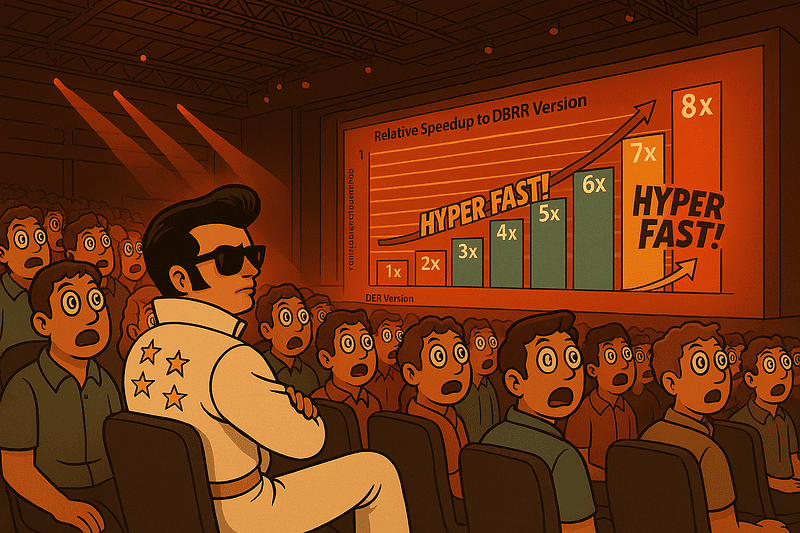
This isn’t about whether Photon is “good” or “bad.” It’s about understanding how it actually works behind the hype, the marketing slides, and the flashy benchmark graphs. Tools deserve analysis, not devotion. Performance claims deserve context. And cost deserves math.
This article is dedicated to all of us who try not to fall in love with tools before questioning them. In our field, “magic” usually turns out to be architecture, memory layout, scheduling decisions, or cost models wearing a marketing costume.
Magic never exists in IT. There’s always logic behind it. And that’s exactly what makes data engineering so fascinating to me.
And finally — Albert, if you’re reading this: I miss our technical debates. LinkedIn chat just isn’t the same as whiteboarding ideas and arguing over execution plans in real time.
To everyone else: benchmark, measure, question, and enjoy the process.
“We can’t go on forever
With suspicious minds (with suspicious minds)
And we can’t build our streams
On suspicious minds
(adapted from “Suspicious Minds” by Elvis Presley)

The idea for this image was inspired by the mythical video game Out Run.