
We Made Genie Say “I Don’t Know” More Often And Usage Went Up
The first version of our Genie Space had a problem that looked like success: it answered almost everything. That’s exactly what made our…
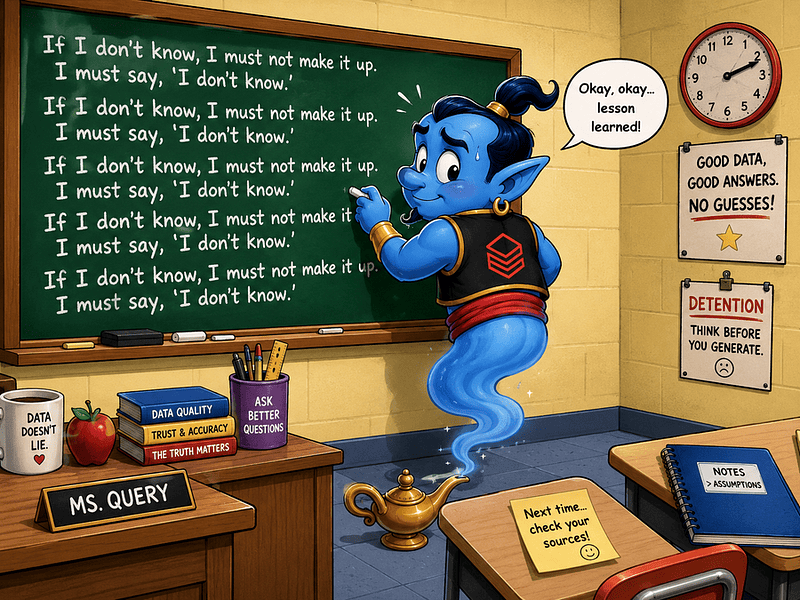
🪲 Confidence Was The Bug
The first warning sign came from a harmless-looking question: How are we doing in enterprise?
Genie answered quickly. It picked a segment, calculated a metric, and returned a clean result. The SQL ran. The chart looked reasonable. No errors.
That was the scary part. Because enterprise was not one thing in our data. It could mean Salesforce segment, ARR band, employee-count tier, strategic account flag, or customer success segment.
Genie had not invented a table or faked a number. It had done something subtler and more dangerous: it made a silent assumption.
And silent assumptions are where trust goes to die.
🧐 Wrong Answers Create A Trust Tax
After a few bad answers, users don’t just distrust that answer. They start distrusting every answer.
They wonder: Which table did it use? Did it understand the metric? Should I check this manually anyway?
At that point, Genie is no longer saving time. It’s creating a second job: validating the assistant. That was the trust tax.
Every wrong answer made users feel they had to double-check the next one. Even correct answers became suspicious, because nobody was sure they used the right metric, grain, or business definition.
🎯 So We Changed The Goal
At first, we were proud of the answer rate. Genie answered 92% of user questions directly. On paper, that looked great. In practice, too many answers carried hidden assumptions.
So we stopped asking: Can Genie answer this?
And started asking: Should Genie answer this without asking anything else?
That small shift changed how we evaluated the Space.
A direct answer was no longer automatically a success. If the question was vague, the metric uncertified, or the business term meant different things to different teams, a direct answer could be a failure.
💡 That was the first mindset shift: “I don’t know” could be better than a confident answer.
🤫 We Taught Genie When Not To Answer
We wanted Genie to behave more like a good analyst.
A good analyst doesn’t silently decide what enterprise means. They ask: Do you mean employee count, ARR band, Salesforce segment, or something else?
So we added rules for questions that looked simple but were actually ambiguous.
💡 Genie should clarify vague terms, use approved defaults when the business already had a standard definition, and refuse sensitive questions unless a certified source existed and the user had permission.
📋 We Turned Failures Into Examples
Whenever Genie gave a questionable answer, we reviewed three things: what the user meant, what Genie assumed, and what an analyst would have written in SQL.
Then we turned recurring failures into example SQL or clearer business rules. Instead of saying, “Use the finance definition of expansion,” we showed exactly which certified table, fiscal period column, customer segment, and fields to use — or avoid.
The issue was rarely that Genie didn’t know SQL. The real problem was that our business language had too many shortcuts.
💡 Humans survive those shortcuts by asking follow-up questions. AI assistants need those expectations written down.
⬇️ The Answer Rate Went Down. Trust Went Up ⬇️
After the change, Genie answered fewer questions directly: 92% dropped to 76%. Bad for a demo, good for trust.
Correct-answer rate rose from 68% to 91%. Clarifications increased, unsafe questions were refused more often, and users came back.
People asked better follow-ups, challenged definitions less, and escalated fewer answers just to check the table.
Before: Enterprise ARR is up 12% quarter over quarter.
After: Do you mean enterprise by Salesforce segment, ARR band, employee count, or strategic account flag? For finance reporting, I normally use ARR band.
💡 Slower, yes. Safer, also yes. In analytics, safer wins.
😡 Users Hated It Before They Trusted It
At first, the new behavior annoyed people. They wanted answers, not follow-up questions. Clarifications felt like friction. Refusals felt like regression.
💡 The honest caveat: making Genie more reliable initially made it feel less magical.
So we showed the old behavior: polished answers with the wrong segment, churn from the wrong table, “last quarter” from live data, or customer-risk answers the user should not have seen.
That changed the conversation. Suddenly, “I don’t know” felt less like failure and more like protection.
💡 Users don’t mind one extra question if the alternative is a chart they cannot trust.
The Takeaway
💡 In analytics, “I don’t know” is not a weakness. It’s a trust feature.
A Genie Space should behave like a good analyst: answer when the data supports it, ask when the question is vague, and refuse when the metric is not trustworthy.
💡 The lesson was simple: don’t optimize AI analytics for answer rate. Optimize for trust rate.
Because once users think the assistant might be lying, every answer comes with a tax. But when it knows when to stop, clarify, or refuse, it becomes part of the analytics workflow.
💡 The moment Genie became less eager, users trusted it more.
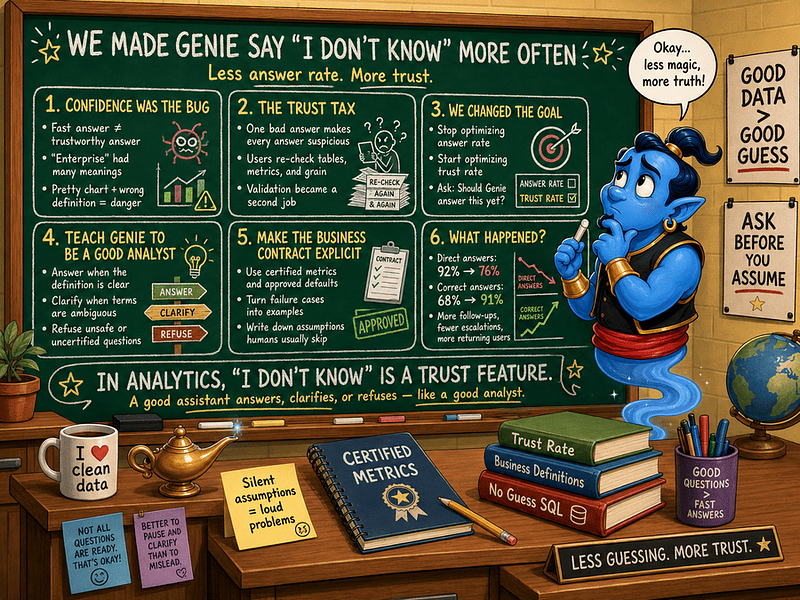
When Genie learned that “I don’t know” is not a bug, it’s premium analytics self-defense.